
If your air purifier’s filter light stays on after you’ve already replaced the filter, the fix is almost always a reset button you haven’t held long enough — not a broken unit. Levoit’s Core 300 clears with a 3-second hold of the Check Filter Indicator button, Winix models need 5 to 10 seconds on the Filter Reset button, Coway’s hold time and button name vary by model (2 to 3 seconds on most), and Dreo purifiers use a 5-second hold on their Filter Reset button until it beeps. Get the timing and button wrong and the light simply stays lit, even with a brand-new filter installed correctly.
This guide reflects the filter-reset steps in current manuals from Levoit, Winix, Coway and Dreo. Button names and hold times differ by model, so check your own manual.
A filter light that refuses to go out after a fresh filter install is one of the more annoying small-appliance problems, mostly because it feels like it should be simple — and it usually is, once you know the exact step. These lights run on their own logic, separate from physically swapping the filter, and every brand handles the reset differently. Below is what’s actually documented for Levoit, Winix, Coway, and Dreo, plus what to check if you’ve done everything right and it’s still stuck on.
Table of Contents
Why the Filter Reset Light Won’t Turn Off
In roughly the order they turn out to be the actual cause:
- The reset button wasn’t held long enough. By far the most common reason — most brands need a deliberate 3-to-10-second hold, not a quick tap.
- The wrong button was pressed. On units with several buttons clustered together, it’s easy to hold the wrong one for the right amount of time and see no change.
- The filter compartment or front cover isn’t fully closed. Many purifiers use a door safety switch, and some won’t register a reset — or will re-trigger the light — if that panel isn’t latched all the way.
- The reset happened before the filter was actually replaced. Some units simply relight the indicator once the internal timer notices the filter hasn’t changed.
- A stuck button or control-board fault. The least common cause, but real on units several years old — the button itself can wear out or stop registering a long press.
How Air Purifier Filter Life Indicators Actually Work
It helps to know what’s actually driving that light, because it explains why the behavior can seem inconsistent. On most consumer air purifiers, including the models covered here, the filter indicator runs off an internal hour-count timer, not a live reading of how dirty the filter actually is. The unit counts hours run since the last reset and lights the indicator once that count crosses a preset threshold the manufacturer considers a reasonable average filter lifespan.
That’s why the light can come on “too early” for a lightly used purifier in a clean apartment, or feel like it’s lagging for a unit running around the clock during wildfire smoke. It’s tracking runtime, not particulate load. A few higher-end models add an actual air-quality or pressure sensor on top of the timer, but for the Levoit, Winix, Coway, and Dreo models here, the reset button simply zeroes out that internal counter — which is why pressing it correctly matters more than how the filter itself looks.
How to Reset the Filter Light on a Levoit Air Purifier
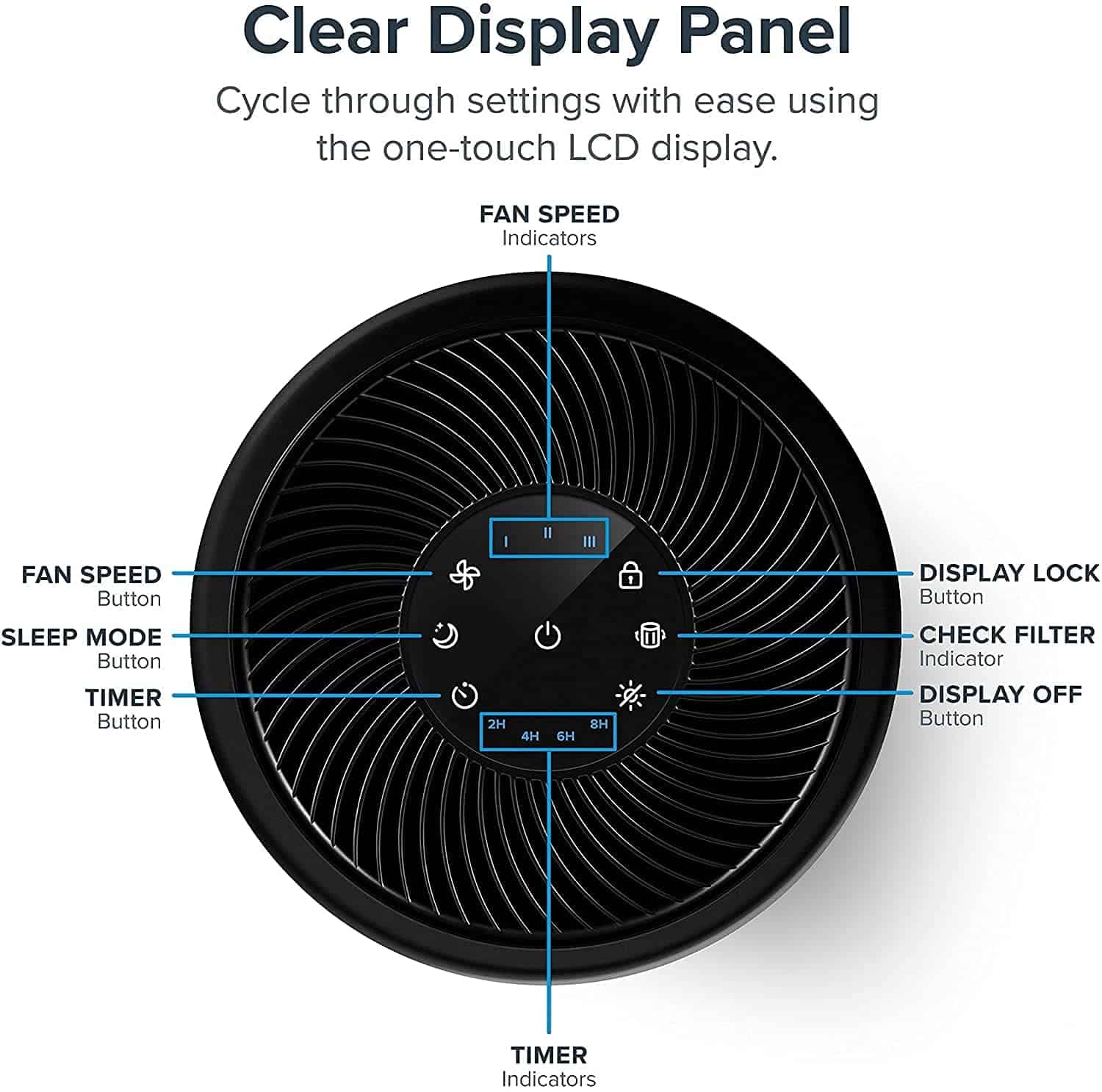
Levoit’s own manual for the Core 300 documents two slightly different sequences depending on when you press reset relative to replacing the filter:
- If the Check Filter Indicator light is already on: replace the filter, turn the purifier on, then press and hold the Check Filter Indicator button for 3 seconds. The light turns off once the reset registers.
- If you’re replacing the filter before the light comes on: press and hold the Check Filter Indicator button for 3 seconds first (this will actually turn the indicator on), then press and hold it again for another 3 seconds to turn it back off.
That second sequence trips people up the most — if you reset early, expect the light to briefly turn on before your second hold clears it. Other Core-series models use the same button and timing per their own manuals, but confirm against your specific model if yours behaves differently.
Looking ahead, more purifiers are moving from a simple timer light to sensors that track how dirty the filter really is, plus app alerts. The catch is that these systems vary by brand, and a smart count can still be wrong.
How to Reset the Filter Light on a Winix Air Purifier
Winix’s hold time is longer than Levoit’s, and on some models the reset button isn’t a normal push-button at all:
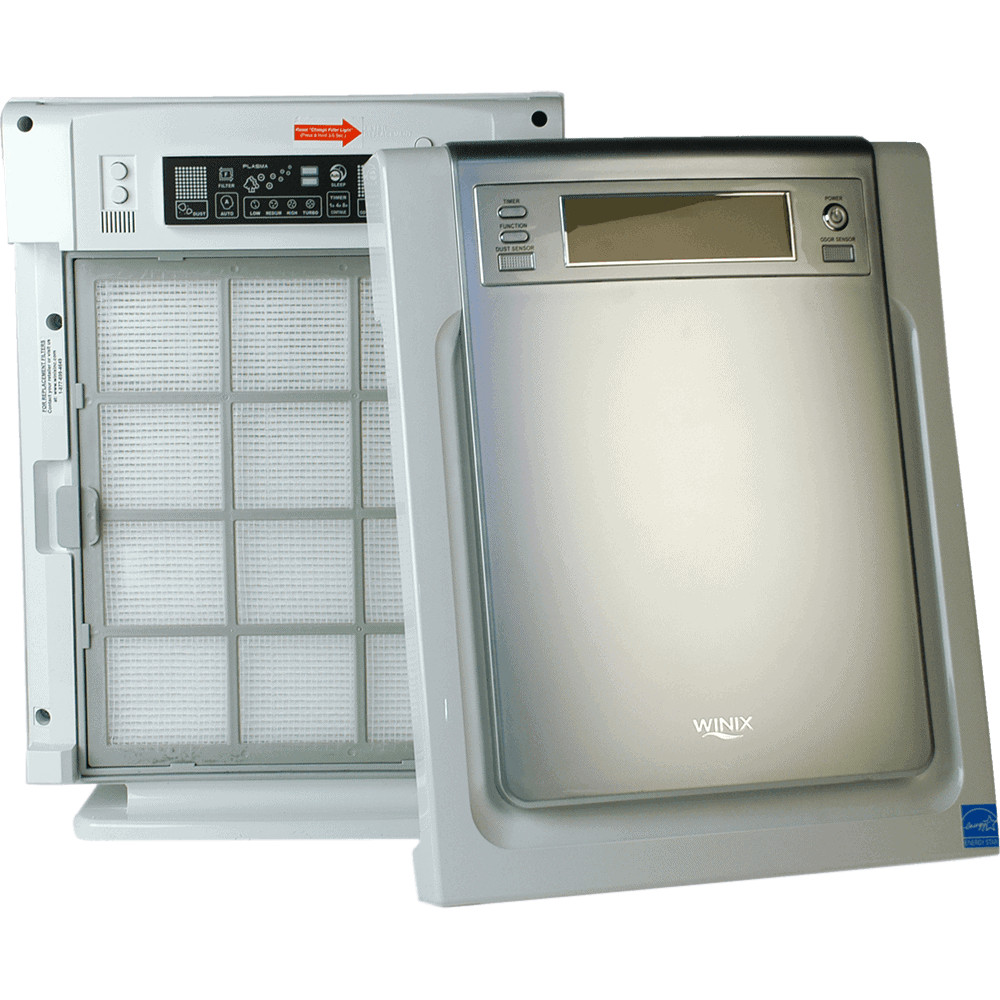
- Winix C545: per Winix’s own C545 manual, replace the True HEPA filter, put the pre-filter back in and close the front panel, then — with the unit powered on — use a paperclip or similarly small pointed object to press and hold the recessed Filter Reset button for at least 5 seconds until you hear a beep. The Filter Replacement Indicator disappears once you hear that beep.
- Winix WAC9500 (and the related 9300/9800 series): per Winix’s official user manual for this series, with the power on, press the FILTER REPLACEMENT RESET button and hold it for 5 to 10 seconds, until the indicator light turns off.
The recessed reset button on the C545 is easy to miss — it’s a small pinhole on the top panel near the light, not a finger-press button. The WAC9500‘s reset button is a normal top-panel button, but it genuinely needs the longer 5-to-10-second hold; releasing at 3 seconds, enough on a Levoit, won’t be enough here.
How to Reset the Filter Light on a Coway Airmega Air Purifier
Coway is the brand where it matters most to check your exact model, since the button name and hold time genuinely change across the lineup:
- AP-1512HH (Mighty): per Coway’s owner’s manual for this model, after installing the new filter, push the Reset button for 2 seconds.
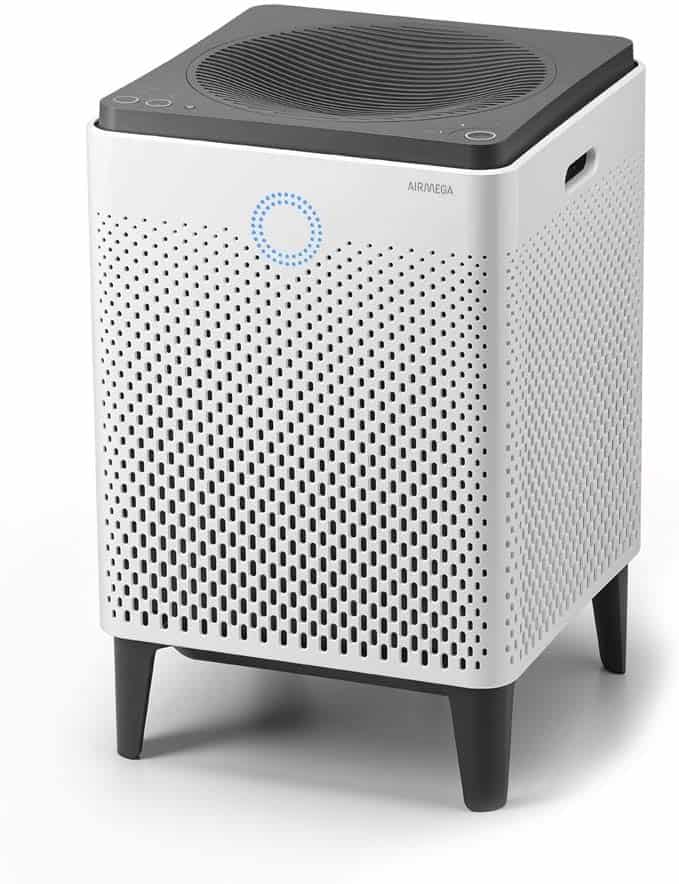
- Airmega 400 / 400S: per Coway’s Airmega 400S manual, after replacing the Max2 filter, touch and hold the [Max2 Change] button on the control panel for 2 to 3 seconds.
- Airmega 200M and other models: Coway’s general guidance across the Airmega line is a Reset or Filter Reset button held for roughly 2 to 3 seconds, but we couldn’t independently confirm an exact published hold time specific to the 200M — check your own manual rather than assuming the AP-1512HH or 400S timing applies exactly.
Coway units also have a separate “forcible reset” mode for clearing the filter counter before it’s actually due, which is different from the simple post-replacement press. Our reviews of the Airmega 400, Airmega 200M, and AP-1512HH can help confirm which model you own.
How to Reset the Filter Light on a Dreo Air Purifier
Dreo’s published guides are the most consistent of the four brands here. Across the Macro AP505S, Macro Pro (DR-HAP002), and Macro (DR-HAP006), Dreo’s own instructions are the same: after reinstalling the filter and returning the unit to its upright position, long-press the Filter Reset button for 5 seconds until it beeps, which resets the Filter Change Reminder. We couldn’t pull an independently published manual specific to the DR-HAP009 reviewed on this site, but given how consistent this 5-second procedure is across Dreo’s other Macro-series models, it’s a reasonable starting point — confirm against your unit’s own manual if it doesn’t clear the light.
The risk to watch is brands that lock out third-party filters. Some chips and apps read an off-brand filter as unrecognized, so a light may stay on after a good reset, and being pushed to branded filters raises the long-term cost. Check this before you buy a cheap replacement.
What to Do If the Light Stays On After a Correct Reset
If you’ve matched your exact model’s button and hold time and the light is still on, work through these before assuming the unit is defective:
- Confirm the front cover or filter door is fully closed and latched. On several of these brands, a cover that isn’t seated all the way can prevent the reset from registering, even if the button press felt normal.
- Make sure the unit is powered on during the reset, not just plugged in. Every procedure above requires the purifier to be actively running, not in standby, when you press and hold.
- Hold a couple of seconds longer than the documented minimum. If the manual says 3 seconds and you released right at 3, try closer to 5 — timing can be inconsistent between your count and the unit’s internal one.
- Unplug the unit for 60 seconds, then try the reset again. This clears a control board that’s gotten into a confused state without erasing any settings, and it’s a legitimate fix when the button itself seems unresponsive.
- Check that the filter is seated correctly, not just physically present. A filter installed backward, at an angle, or still wrapped in its plastic packaging can trigger the same light as an old one, depending on the model.
- If your model has a visible air-quality sensor window, wipe it with a dry cloth. On units with a real particulate sensor rather than a pure timer, a dusty sensor eye can keep reporting poor air quality even with a new filter installed.
When to Contact Manufacturer Support (or an Electrician) Instead
Most filter-light problems really are solved by the steps above. A few situations are worth stopping and getting outside help rather than continuing to troubleshoot on your own:
- The light won’t clear after a correct reset, a power cycle, and a confirmed-good filter. That points to a stuck button or control-board issue a reset can’t fix. If the unit is new enough to still be on its first or second filter change, it’s likely under warranty — contact the manufacturer’s support line directly rather than continuing to try DIY fixes.
- The unit is several years old and this is on top of declining airflow or unusual noise. A stubborn light alone isn’t dangerous, but alongside other signs of an aging unit, it may mean the purifier is near the end of its service life rather than in need of another reset attempt.
- You notice a burning smell, a warm or discolored plug, or a tripped breaker when the unit is plugged in. Stop using it immediately and don’t keep resetting or power-cycling it. This points to an electrical fault, not a filter-light issue — unplug it and have an electrician or qualified appliance technician check it before it’s used again.
If you’re troubleshooting a filter light on a purifier that’s genuinely reaching the end of its useful life, it may be worth comparing the cost of a new filter against the cost of a new unit. Our filter replacement cost guide breaks down what filters actually run per brand, and our CADR calculator can help you size a replacement correctly for your room if you do decide it’s time to upgrade rather than keep fighting an old unit’s electronics.
Related Guides
Keep going with how to clean an air purifier filter, the filter replacement guide, AirDoctor replacement filters and running a purifier all the time.
What happens next: shopper pressure and right-to-repair rules may push makers to publish clearer reset steps and filter prices. Until then, keep the manual, write the reset date on the filter, and replace on schedule even when the light is quiet.
Frequently Asked Questions
Why does your air purifier’s filter light come back on right after you reset it?
The reset likely didn’t register the first time — often because the button wasn’t held quite long enough, or the filter compartment wasn’t fully closed. Try again, holding a second or two past the documented minimum, and confirm the cover is latched before pressing.
Can you just ignore the filter light and keep using the air purifier?
You can, and the unit will typically keep running rather than shutting off. But since the light is based on a runtime timer rather than a live readout of filter condition, ignoring it too long means running the unit on a filter well past the point it’s designed to work effectively.
Is it normal for the filter light to come on before you think the filter needs changing?
Yes. Since these indicators count hours of operation rather than measure the filter’s actual condition, a unit that runs long hours daily will hit that threshold sooner than one used lightly. That doesn’t mean the filter is genuinely due — it means the timer hit its preset number.
Does a third-party or off-brand replacement filter affect the reset?
For the brands covered here, the reset button clears an internal timer rather than reading a chip on the filter itself, so a compatible generic filter shouldn’t prevent the reset from working. It can, however, affect actual filtration performance if it’s not built to the same spec as the manufacturer’s own filter.
Your purifier doesn’t have a labeled “reset” button — what do you press?
Check for a button labeled Filter, Check Filter, or a filter-grille icon, sometimes combined with the power or Wi-Fi button in a press-and-hold combination. If nothing is obviously labeled, look for a small recessed hole (like the one on the Winix C545) that needs a paperclip before assuming your model has no manual reset.
How often should you actually replace the filter, regardless of what the light says?
This varies by brand and model, but a general range across the units covered here runs roughly six months to a year for typical residential use, sooner with pets, constant use, or heavy wildfire smoke or pollen. Your model’s manual lists the manufacturer’s specific recommendation.